
Web Scraping with Instant Data Scraper in 2026: A Step-by-Step Guide
Web scraping with Instant Data Scraper is one of the fastest ways to pull business leads, contact details, and local listings from Google without writing a single line of code. If you are a freelancer, digital marketer, or small business owner doing manual outreach, this guide will save you hours every week.
No paid tools. No technical setup. Just your Chrome browser and a free extension that does the heavy lifting for you.
- 7 min read

Ready to kickstart your freelance career?
Let's talk! Book a call and get personalized guidance to help you grow, land clients, and succeed online.
INTRODUCTION
What Is Instant Data Scraper?
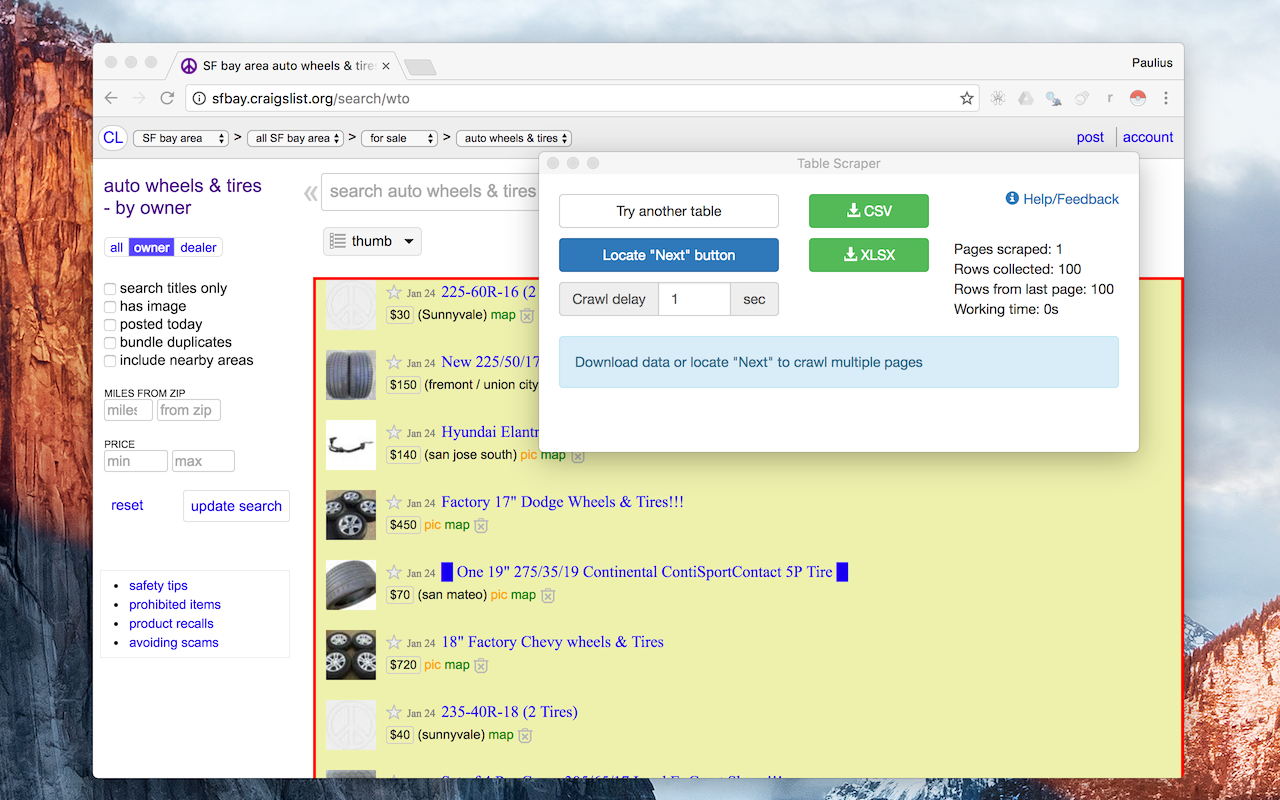
Instant Data Scraper is a free Chrome extension that uses AI to automatically detect tables and repeated data patterns on any webpage. It analyzes the HTML structure of a page, identifies the most relevant data, and lets you export it as a CSV or Excel file in seconds.
Unlike many web scraping tools, it requires no account creation, no coding knowledge, and no configuration. You install it, open a page, and click once.
It works on Google search results, directory listings, e-commerce product pages, and most structured websites. The Instant Data Scraper extension is widely regarded as the best free Chrome extension for quick browser-based extraction due to its simplicity and zero setup requirements.
What You Need Before You Start
- Google Chrome browser installed on your computer
- Instant Data Scraper extension installed from the Chrome Web Store
- A clear idea of the niche and location you want to target
That is it. No subscriptions, no API keys, no paid plans required.
Step-by-Step Guide to Web Scraping with Instant Data Scraper
Step 1
Install Instant Data Scraper
Open Google Chrome and visit the Chrome Web Store. Search for "Instant Data Scraper" or go directly to the extension page. Click "Add to Chrome" and then confirm by clicking "Add Extension."
Once installed, you will see the Instant Data Scraper icon appear in your Chrome extensions menu at the top right of your browser.
Step 2
Open Your Target Search in Google
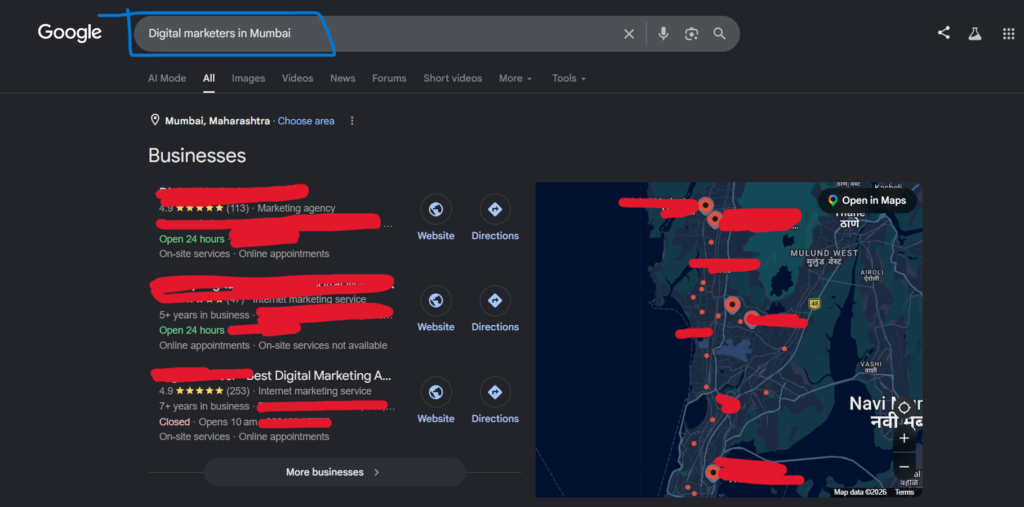
In your Chrome browser, go to Google and search for your niche combined with your target location. Use a format like this:
- Gyms in Bangalore
- Coaching institutes in Delhi
- Digital marketers in Mumbai
- Restaurants in Hyderabad
This gives you a structured results page that Instant Data Scraper can read and extract data from.
Step 3
Launch Instant Data Scraper
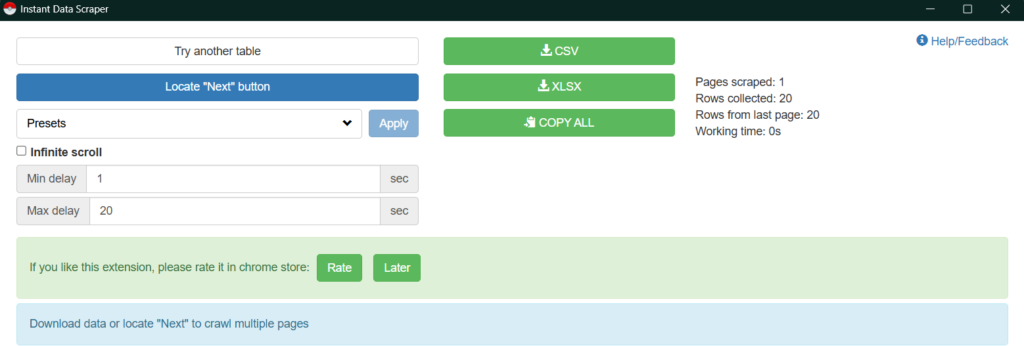
Click the Instant Data Scraper icon from the Chrome extensions menu. The extension will open a panel and automatically begin analyzing the page. It uses AI-based detection to identify data patterns, so in most cases it will highlight the relevant listings immediately without any manual selection from you.
You will see a preview table populate inside the extension panel showing the data it has detected.
Step 4
Use the Locate Button if the Table Is Not Detected
Sometimes the extension does not auto-detect the right data, especially on pages with non-standard layouts. If that happens, scroll to the bottom of the Google search results page where you can see the page number navigation (1, 2, 3, 4, 5).
Click the "Locate" button inside the Instant Data Scraper panel. Then click on the "Next" page button in the Google results. This teaches the extension where the pagination control is so it can automatically move through multiple pages and capture data from all of them.
Once located, click "Start Crawling" to let the extension scrape across pages automatically.
Step 5
Preview and Review the Captured Data
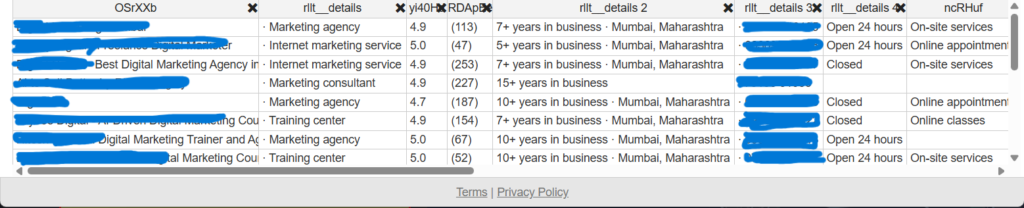
Before exporting anything, scroll through the data preview table inside the extension. Check that it has captured the right fields such as business name, contact information, website, address, and service category.
If the page has more listings than what loaded initially, scroll down on the results page to trigger lazy loading. The extension will detect the newly loaded content and add it to the preview table in real time.
If you see any column you do not need, you can delete it directly from the preview table before downloading. This keeps your export clean without needing extra work in Excel later.
Step 6
Export Your Data
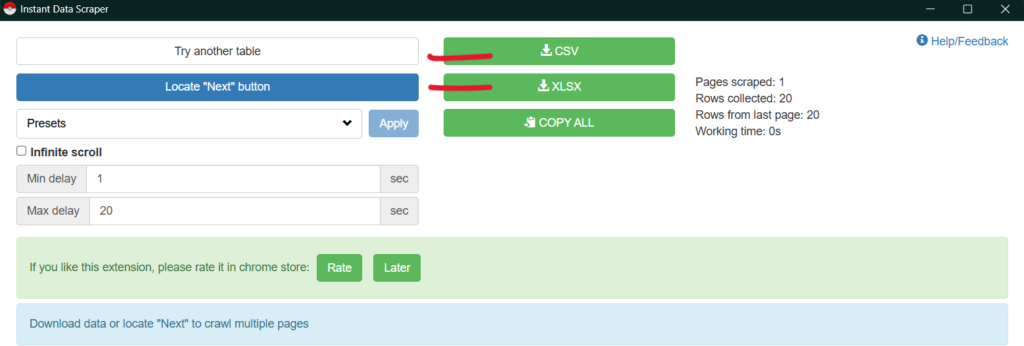
Once you are satisfied with the preview, click "Download CSV" or "Download XLSX" to export the scraped data to your computer. The file will land in your default downloads folder.
Both export formats work well. Use CSV if you plan to open the file in Google Sheets. Use XLSX if you are working in Microsoft Excel.
Step 7
Clean the Data in Excel
Open the downloaded file in Excel or Google Sheets. At this point the file may contain more columns than you need.
Go through the columns and delete everything that is not directly useful for your outreach. For most lead generation purposes, you only need three columns:
- Business name
- Phone number
- Website
To delete a column, click the column header to select it, right-click, and choose "Delete." Repeat for all columns you want to remove.
Once only the three relevant columns remain, save the file. Your clean lead list is ready for outreach.
What to Do After You Have the Data
Now that your data is clean and organized, you are ready to begin outreach. You can reach your leads through calls, WhatsApp messages, emails, or in-person visits depending on your niche and offer.
One important step before you start: make sure you have a portfolio website live and ready. When a prospect asks to see your work, you need a link to send immediately. Without it, the conversion rate on your outreach drops significantly.
A basic portfolio with two or three case studies or sample projects is enough to start. Focus on getting it live before making your first outreach call.
Why Web Scraping with Instant Data Scraper Works for Outreach
Most freelancers and digital marketers spend hours searching for leads manually. They copy and paste business names, scroll through directories, and build spreadsheets by hand. That process is slow and does not scale.
Instant Data Scraper compresses that entire process into minutes. You can build a targeted list of 50 to 100 local businesses in under 20 minutes, clean it in another 10, and move directly to outreach.
The extension remains completely free to install and use. Unlike many other web scraping Chrome extensions, Instant Data Scraper offers advanced AI-based detection at no cost, which is why it remains a go-to tool for non-technical users in 2026.
Tips to Get Better Results
Keep your search queries specific. Broader searches return noisy data with more cleaning required. The more specific your niche and location, the more useful your scraped list will be.
Do not scrape thousands of rows in a single session. Browser memory limits mean the tab can crash if you push too far. Stick to 500 to 1000 rows per session and run multiple sessions if needed.
Rename your columns inside the extension preview before downloading. This saves time during the cleaning step because your headers will already match what you need.
If you are targeting multiple cities, run a separate scrape for each location and keep the files organized by city in a folder. This makes your outreach more targeted and easier to track.
Common Questions About Instant Data Scraper
Does Instant Data Scraper work on JavaScript-heavy pages?
It works when the content is already visible in the page when it loads. It cannot reliably extract data from apps that require complex interactions to render their listings.
Is Instant Data Scraper free?
Yes. The extension is completely free to install and use with no subscription required.
Can I export directly to Google Sheets?
Not directly. The extension exports to CSV or XLSX, which you then upload to Google Sheets manually. For live sheet delivery, you would need an API platform with automation integration.
Will scraping get my IP blocked?
On public Google search pages the risk is low for small-volume scraping. The extension includes crawl delay controls that let you slow down the scraping speed to reduce the chance of triggering rate limits.
Final Thought
Web scraping with Instant Data Scraper removes the most time-consuming part of freelance outreach: finding and organizing leads. The tool is free, requires no coding, and produces a clean exportable list in minutes.
Install the extension, run your first scrape in your niche, clean the file down to three columns, and start your outreach with a live portfolio ready to share. That sequence, done consistently, is how freelancers and marketers build a steady pipeline from scratch in 2026.